How to Run a Five-User Usability Test in One Week
A five-user usability test finds about 85% of the problems in a design, according to Nielsen Norman Group research. Pick three to five real customer tasks, recruit five people who match your buyers, and watch each one work alone. Then rank what you saw by severity. One working week is enough time.
This guide is for founders, product managers and small growth teams who have never run a usability test, or who skipped it because it sounded slow and expensive. It covers the plan day by day, from choosing tasks to a fix list your team can ship. Returnonbehavior covers customer behavior, and watching customers use a product is the cheapest way to learn it.
The method is simple on purpose. You do not need a lab, a panel vendor or a budget line. You need a script, five people and the discipline to stay quiet while they struggle.
Why Five Users Is Enough for a Usability Test
A usability test is a one-on-one session where a person tries to finish real tasks with your product while you watch. The goal is to find what blocks them. The goal is not to prove the design works.
Jakob Nielsen and Thomas Landauer modeled how many problems each new participant reveals. The typical single user exposed about 31% of the problems, and five users surfaced roughly 85%, as Nielsen Norman Group (NN/g) explains in its guidance on testing with five users. Each new person mostly repeats what the earlier ones hit.
That curve is why small tests beat one large one. Fifteen participants in a single study cost three times as much, and you learn little more after the fifth. Five people, then a fix, then five more people is the stronger plan.
At Returnonbehavior, we read this as a budget rule more than a statistics rule. Spend the same money on three small rounds and each round tests a better product than the last.
Day 1 and 2: Pick Tasks That Match What Customers Do
Start with behavior you can already see. Open your analytics and find the three flows where customers stall: sign-up, checkout, a settings page, a first report. Those are your candidate tasks.
Write each task as a goal, not a set of clicks. "You want to change the email on your account" is a task. "Click Settings, then Profile" is a leading instruction that hides the problem you are trying to find.
Keep the list short. Three to five tasks fit in a 45-minute session with time left for questions. If the list runs longer, drop the tasks that fewer than one in five customers attempt.
Add one success rule per task. For example, the task counts as done when the participant reaches the confirmation screen without help. Digital.gov, the U.S. government's digital services guidance site, describes usability as how easily a person reaches a goal and measures it with success rates and satisfaction scores. A clear rule keeps your notes honest.
Day 3: Recruit Five Real Customers and Run a Practice Session
Recruit people who resemble your actual buyers. Colleagues and friends know too much and forgive too much. Five current customers, recent sign-ups or people from your waiting list are better than anyone you can grab in a hallway.
Plan for no-shows. Book seven people to get five. Offer a small thank-you, such as a gift card, and keep the invitation short and specific about the time it takes.
Recruiting is where many small teams get stuck. The USAGov usability team reported that Spanish-speaking visitors were slow to respond to its study, so the team translated the screener and reached them again. If a group matters to your product, check that it shows up in your five.
Before the first customer, run the whole session once with a colleague. The U.S. Department of Homeland Security (DHS) usability testing kit describes sessions with one moderator, one participant and a note taker, and it suggests a practice round to catch script problems. A practice run also tells you whether your task wording makes sense.
How Do You Moderate a Usability Test Without Leading the Participant?
Ask neutral questions, give no hints and let silence do the work. Say "What are you thinking?" instead of "Do you see the button?" When a participant asks if they are right, answer with "What would you do if I were not here?" Your job is to watch, not to help.
Use a written script so every participant hears the same words. Digital.gov publishes a sample script that groups a session into six moments: introductions, warm-up, set-up, task completion, follow-up and wrap-up. Following that shape keeps you from improvising a hint.

Ask the participant to think aloud and remind them that the product is being tested, not them. Tell them nothing about where features live. If they get stuck for more than two minutes, note the time and move to the next task.
Bring a second person as note taker. The moderator watches the participant, and the note taker writes down what happened, with timestamps. Record the screen if the participant agrees.
A Sample Task Script for a Subscription Product
A short example makes the format concrete. Suppose a meal-kit company wants to know why customers abandon the pause-delivery flow. Here is a task set that fits one 45-minute session.
The tasks below are written as goals, each with its success rule:
- Skip next week's delivery. Done when the confirmation page shows the new date.
- Change the delivery address. Done when the saved address updates without help.
- Cancel the subscription. Done when the participant reaches the final confirmation or says they would call support.
The cancel task is the one teams avoid and the one that teaches the most. Watching a customer search for the exit shows how much trust the flow loses. It also tells you whether a retention offer appears at a helpful moment or feels like an obstacle.
Keep a list of follow-up questions for the end of the session, such as "What did you expect to happen after that last click?" Ask them after the tasks, not during, so you do not change how the participant behaves.
Day 4: Run the Five Sessions
Book the sessions back to back across one day, with a 30-minute gap between each. The gap lets you finish your notes while the memory is fresh. Five sessions of 45 minutes fit in a working day with breaks.
Hold the team observation rule: watch live or watch the recording, but do not argue about the design during a session. Skeptics change their minds faster when they see a customer fail at a task than when they read a report. Invite the people who own the design to watch at least two sessions.
Write down what the participant did and said, not what you think it means. "Looked at the pricing page for 40 seconds, then went back" is an observation. "Pricing is confusing" is an interpretation that can wait until day five.
Day 5: Turn Observations into a Short Fix List
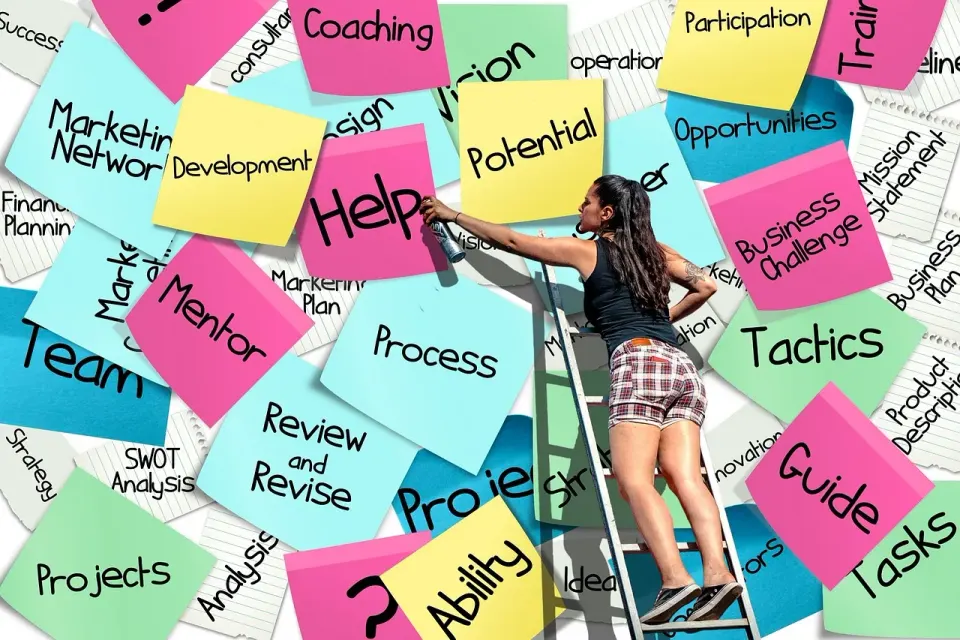
Put each observation on its own sticky note and group the notes by screen or task. Patterns appear quickly. If three of five participants missed the same button, that is a finding. If one participant did something odd, flag it and watch for it in the next round.
Rate each problem for severity. A simple scale works: a blocker stops the task, a major problem slows it, and a minor problem annoys the participant without changing the outcome. Fix blockers first, because they cost you customers directly.
Cap the list at five to eight items and give each an owner and a due date. Write the finding in plain language and attach a short clip or quote. A fix list that nobody reads is just another report.
When Five Users Is Not Enough
Five works for finding problems in a single design with a fairly uniform audience. It does not work when your product serves very different groups. If new customers and long-time customers behave differently, run five people from each group.
Five also does not give you reliable numbers. A usability test tells you what is broken and why. It cannot tell you that 70% of all customers will fail a task. For that, you need a larger quantitative study or analytics on live traffic.
The NN/g curve itself shows that 15 users would be needed to find nearly every problem in one design. The advice is to split that effort into rounds, so each fix gets checked by the next five people. That is also why a second round is part of the plan, not a bonus.
Conclusion
A usability test is a week of work that most teams can afford. Choose real tasks, recruit five customers, script the session and stay neutral. Then rank the problems and fix the worst ones.
Next step: put three tasks and five names on a calendar this week. After you ship the fixes, run the same test again with five new people and compare how far they get.
How many people do you need for a usability test?
How long does a usability test take to run?
Do you need special software to run a usability test?
What is the difference between a usability test and an A/B test?
Keep reading
View all
For pitches, data you would like us to look at and letters to the editor, write to us any time. We read everything.
Free. One study, one teardown and one thing to test, every Tuesday morning. Nothing else.